Return Grid

Underwrite deals, track your portfolio, and let Search Watch monitor new listings — or pick up where the team left off.

Properties by status

— properties · — units
Total units
Portfolio only
Total portfolio value
Sum of purchase prices · portfolio only
Average price per unit
Blended · portfolio only
Average price per sqft
Blended · portfolio only
Average rent per sqft
Blended, monthly · portfolio only
Total rents
Monthly · portfolio only
Total NOI
Monthly · before debt service · portfolio only
Monthly mortgage payment
P&I · portfolio only
Monthly taxes
Annual ÷ 12 · portfolio only
Monthly insurance
Annual ÷ 12 · portfolio only
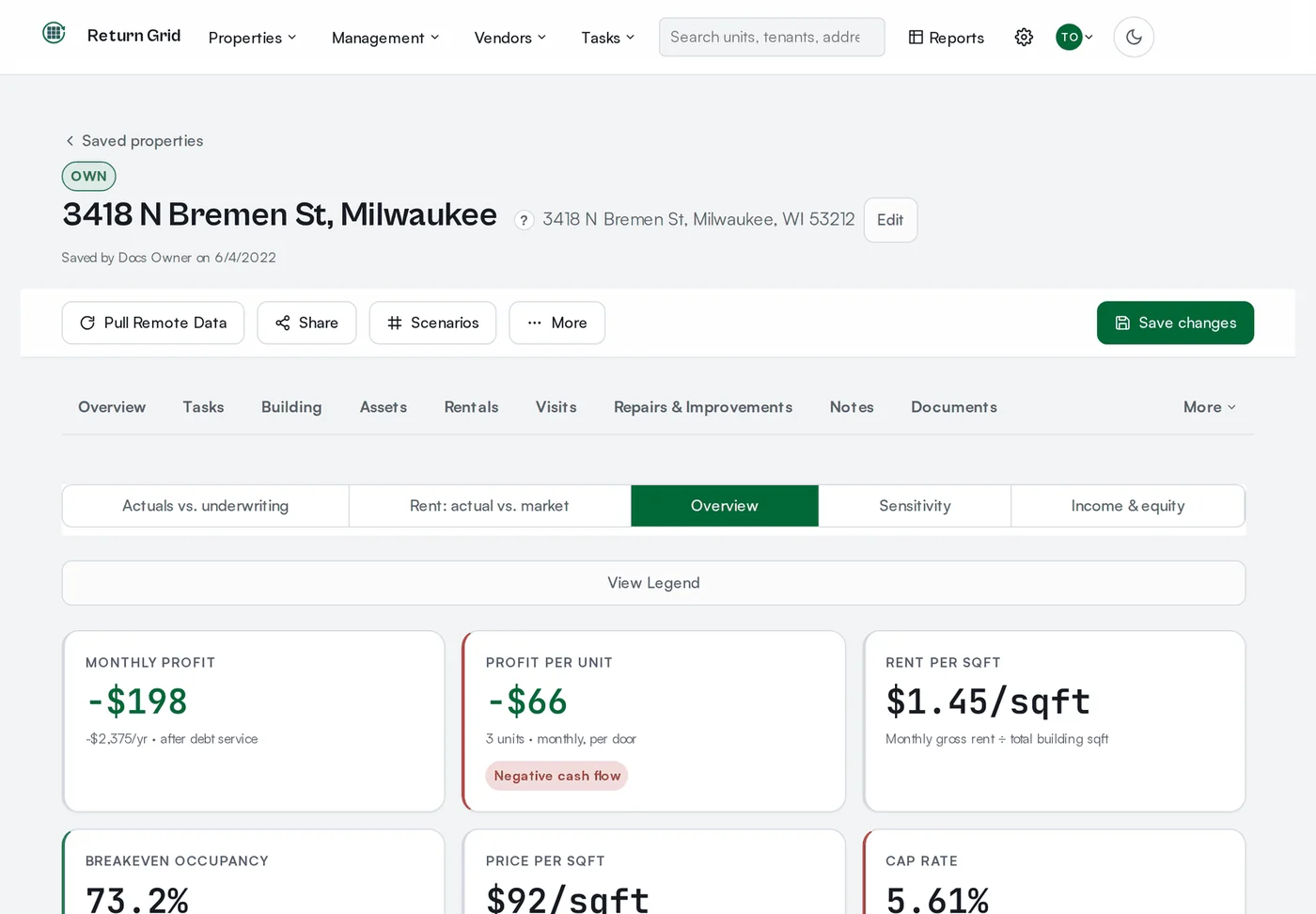
Total monthly profit
Cash flow · portfolio only
Total cash invested
Down payment + closing costs · portfolio only
Average COC
Cash-on-cash · portfolio only
Average cap rate (portfolio)
Portfolio only
Average DSCR
Debt-weighted · portfolio only
Weighted average interest rate
Weighted by loan balance · portfolio only
Average cap rate (all deals)
Excludes To Review & Not Interested
To review
New Search Watch matches
Offer submitted
Offers awaiting response
Purchased
Offer accepted + Purchased

Recent activity

    Search Watch

      New property analysis

      Property and financing inputs

      Purchase
      Sales history
      Sale comps
      Income
      Comparable rents
      Financing
      Purchase price
      + Rehab cost
      − Down payment (20%)
      Total loan amount
      Monthly payment (P&I)
      Operating expenses (annual)
      Property taxes
      Growth assumptions

      Saved analyses

      Browse everything the team has saved, filter by status, and open any deal to keep working on it.

      Filter by status

      Search watch jobs

      Every hour, Return Grid checks RentCast for new for-sale listings matching each job's criteria below. New matches are automatically saved as draft analyses (status: To Review) and emailed to that job's recipients.

      Compare deals

      Line up saved analyses side by side to see which one pencils out best. Pick 2 to 4 properties.

      Add at least 2 saved properties above to compare them.

      Saved compares

      Revisit comparisons the team has saved for later, rename them, or remove ones you no longer need.

      Portfolio dashboard

      Roll up cap rate, cash-on-cash, GRM, DSCR, and IRR across every saved analysis that matches the selected statuses.

      Filter by status

      Map view

      See every saved analysis with an address plotted on a map, color-coded by status.

      Filter by status

      Manage users

      Only people listed here can sign in with Zoho -- this list is the sign-in allowlist, regardless of what email domain someone's Zoho account uses. Add teammates below so they can access Return Grid, and edit their name or email as needed.

      Share notices require a mobile number for SMS or Email + SMS — those options are unavailable until one is saved.

      Defaults for new deals

      These are the starting assumptions used whenever someone starts a new analysis or Search Watch auto-drafts a listing. Purchase price, current rent, rehab cost, property taxes, and number of units are no longer defaulted here — they're required, deal-specific inputs you enter for every property. Changing a value here only affects future deals — it never touches analyses already saved.

      Credentials

      Admin-only. RentCast, Mapbox, Geocodio, mail sending, and the ClearlyIP SMS sender used for texting share links are all shared, platform-level services configured by Return Grid -- they're not set per organization here. This page controls the two settings specific to your organization: your organization's email domain (used to label activity that automated jobs record on your behalf), and your own Zoho SSO app registration -- an enable toggle, Client ID and Client Secret, plus the redirect URI to register in Zoho. Who can sign in is controlled in Users, not here. Values are encrypted at rest; secrets such as the Client Secret are never shown in full once saved -- only a masked hint of the current value is displayed. Leave a field blank to keep its current value unchanged.

      Billing

      Owner-only. Manage your organization's subscription plan and cancellation status.